
Objective:
Set
Microsoft Authenticator as the default Sign-in Method for your Microsoft
365 account.
Pre-Requisites:
o
Microsoft
Authenticator already installed on your SmartPhone
o
You'll need to know your Microsoft
365 username & password
o
You've already performed:
o
Step 1 - MFA
/ SSPR Profile Setup
o
Step 2 - Add
Authenticator to Your Security Profile

Set
Microsoft Authenticator as the Default
Sign-in Method:
Login
here: https://aka.ms/setupsecurityinfo
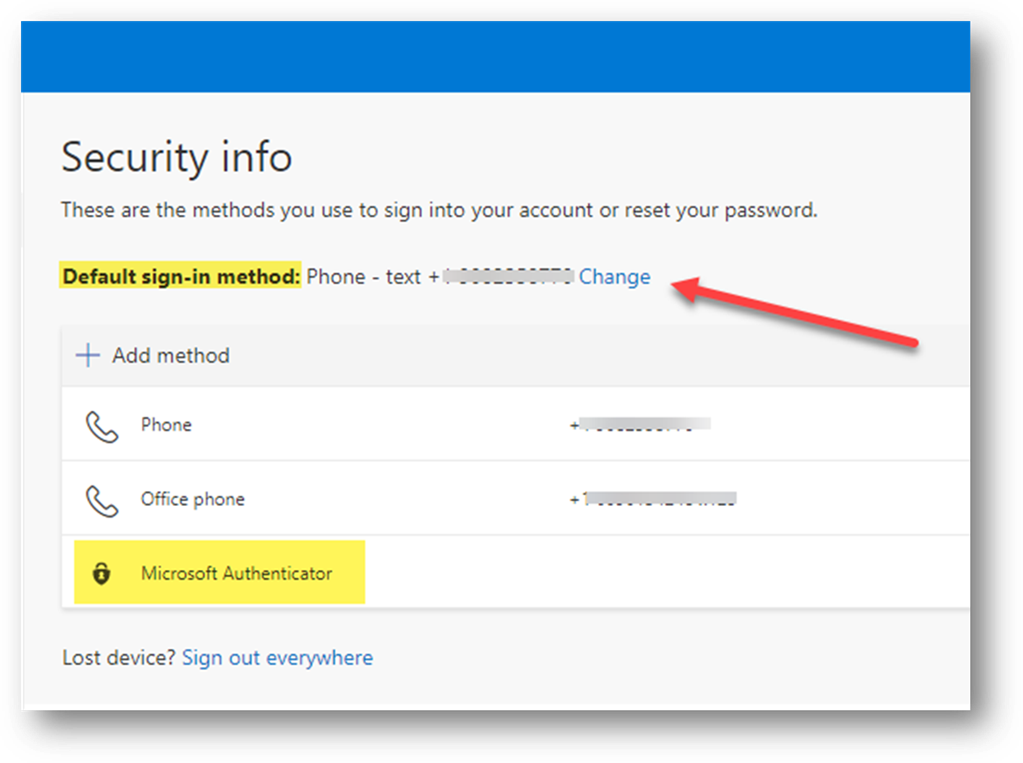
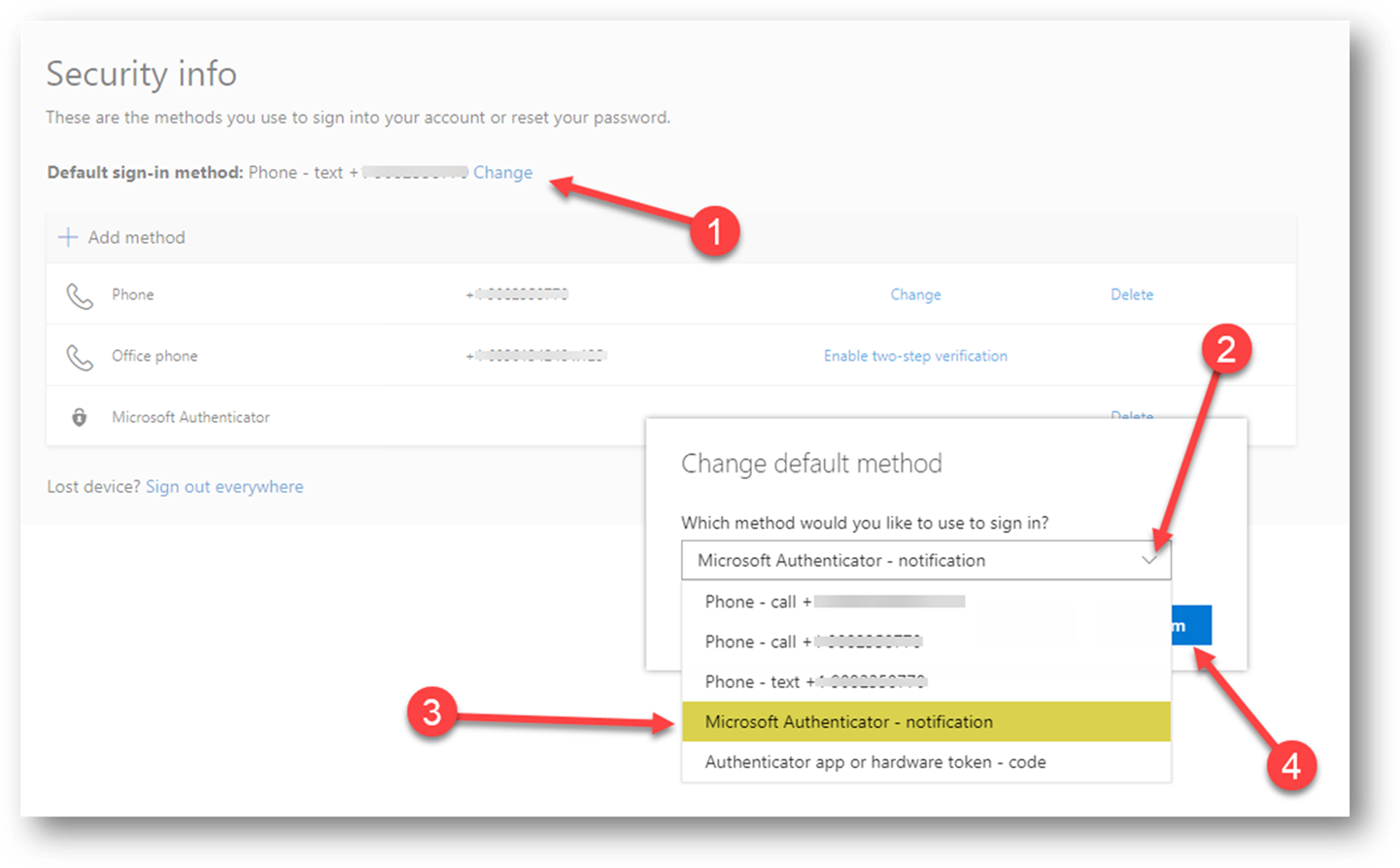
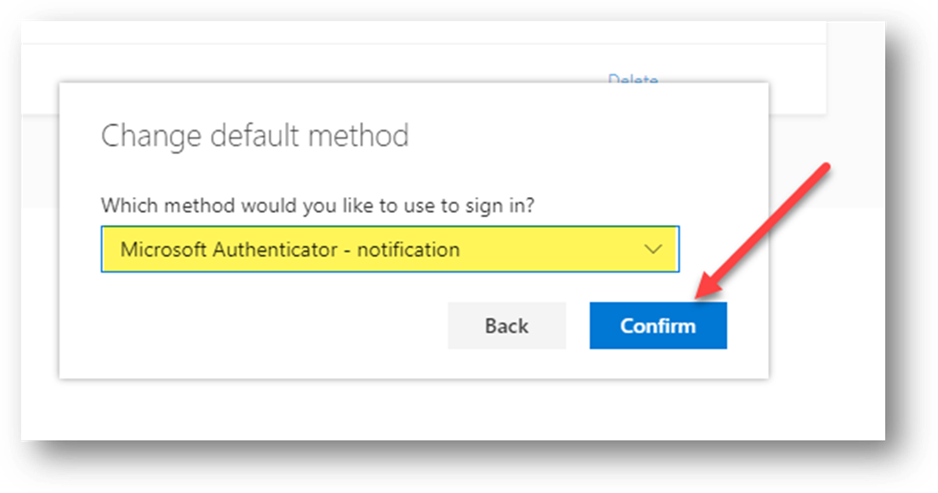
Now
that Microsoft Authenticator has been added as a sign-in method, we'll next set
it as the default sign-in method:
Success!
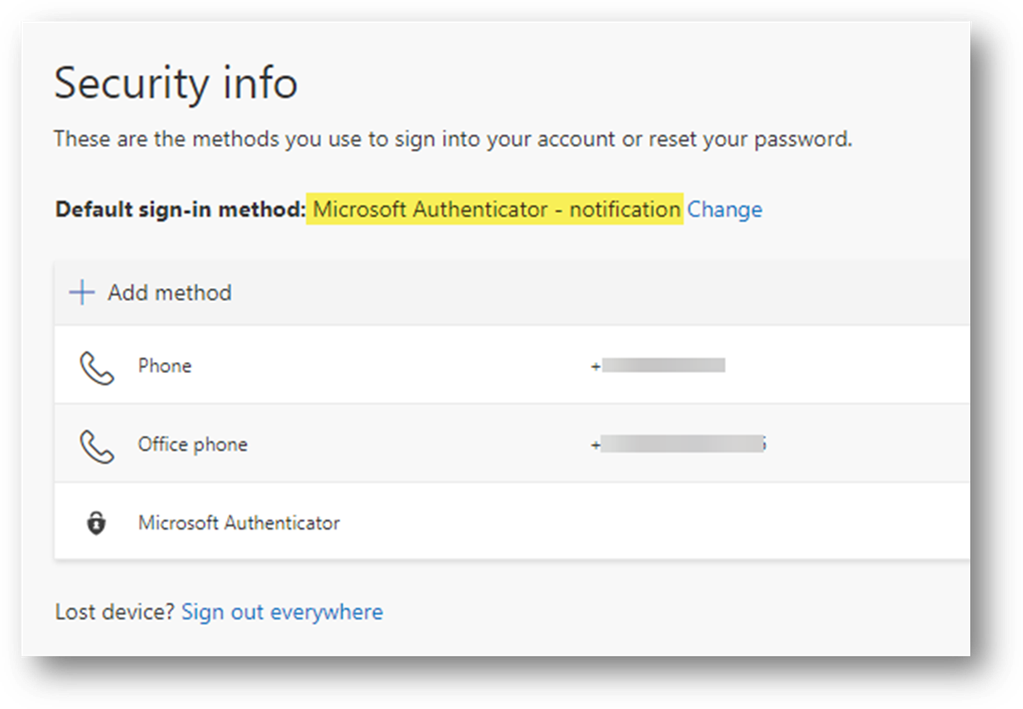
Done!
Copyright (C) 2020 All rights
reserved, MainFrameIT, LLC