
Introduction:
o
MyGlue
allows users to view Personal passwords in one flat list, or structured within
Department (d-) & Team (t-) folders.
Table
of Contents:
o
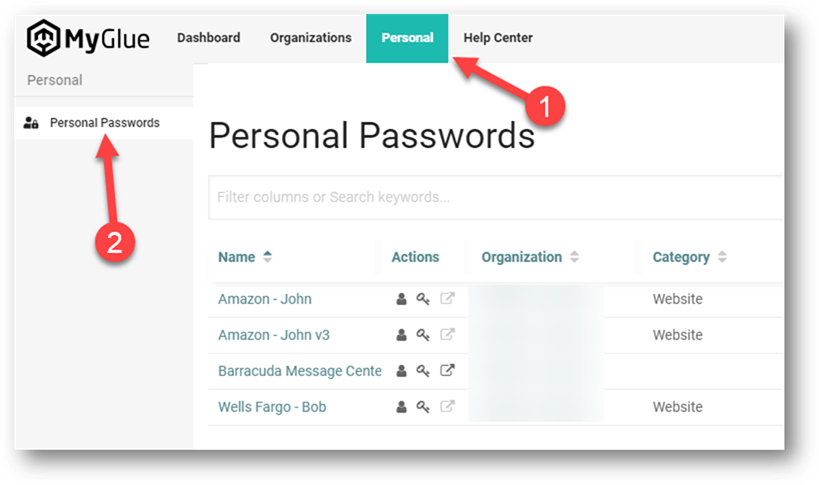
Viewing All Personal Passwords in
One Flat List
o
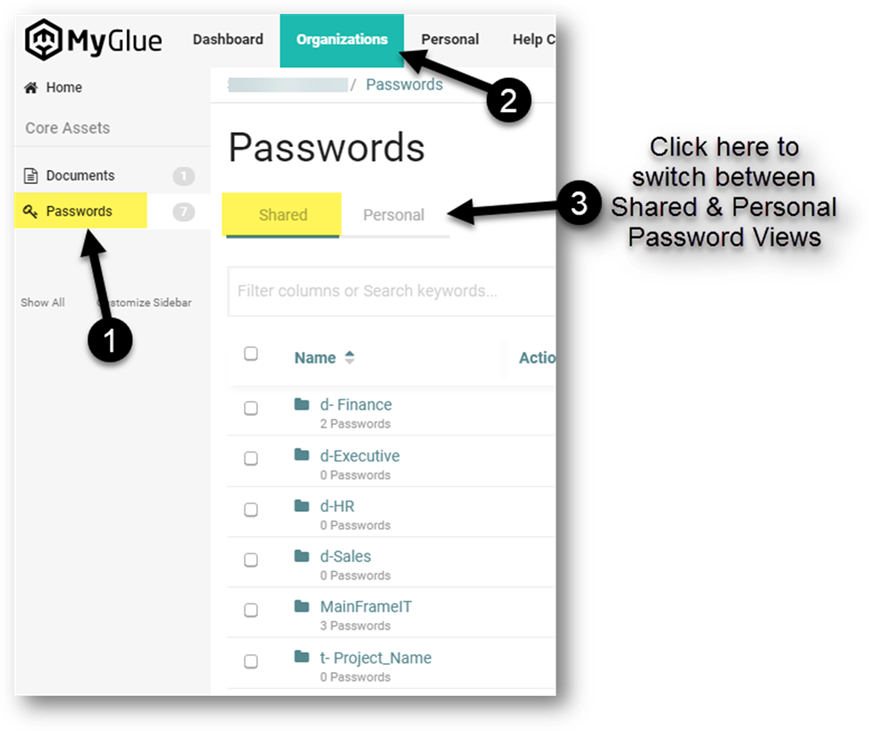
Flipping Between Personal and
Department/Team Shared Password Folders
o
Best Practice

Viewing
All Personal Passwords in One Flat List:
Flipping
Between Personal and Department/Team Shared Password Folders:
To
view Department/Team shared passwords:
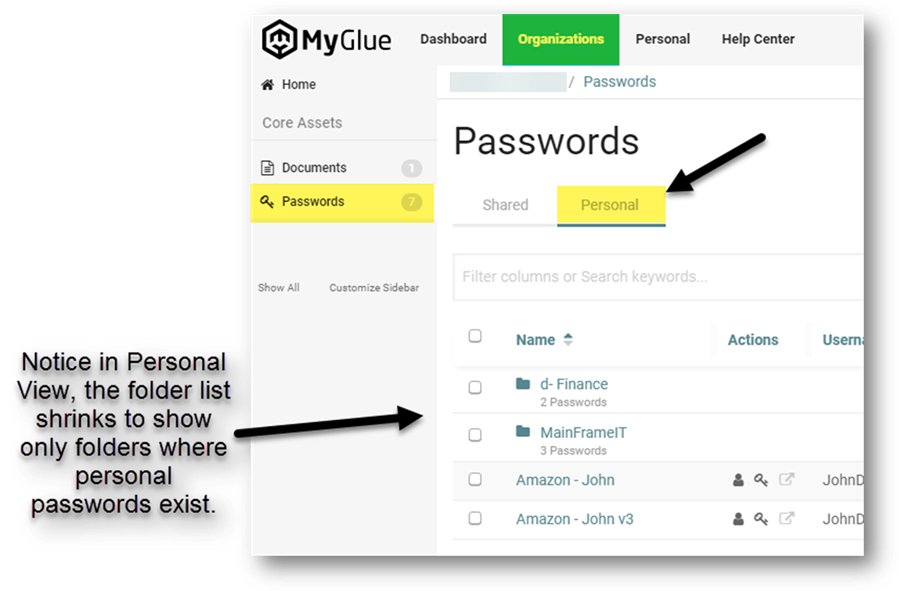
To
view personal passwords within Department/Team folders:
Best
Practice:
For
personal passwords associated with your role in a Department or Team, we recommend
creating your personal passwords within their associated Department/Team
folders.
Copyright (C) 2021 All rights
reserved, MainFrameIT, LLC