
Table
of Contents:
o
Step 1
o
Share a Password with a Department
or Team
o
Change a Password to Personal Only

Step
1:
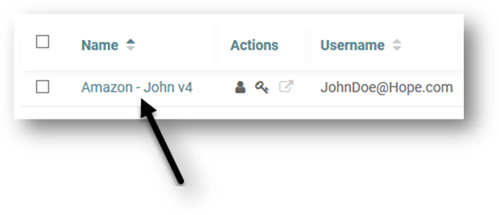
Click
the password enter the form view of your password:
Share
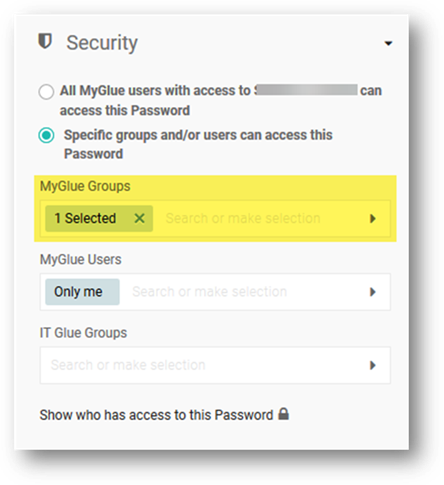
a Password with a Department or Team:
Scroll
down the right and expand the security section. Add the department or team
you'd like to grant access to in the MyGlue Groups section as shown.
Change
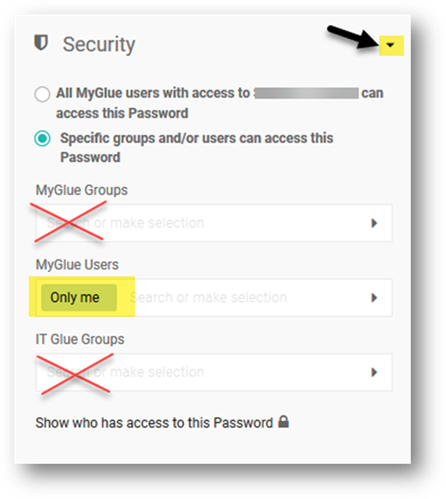
a Password to Personal Only:
Scroll
down the right and expand the security section. By clearing all Groups that
currently have access to the password, the password will become Personal,
visible only to you.
Copyright (C) 2021 All rights
reserved, MainFrameIT, LLC