

Searching
in MyGlue:
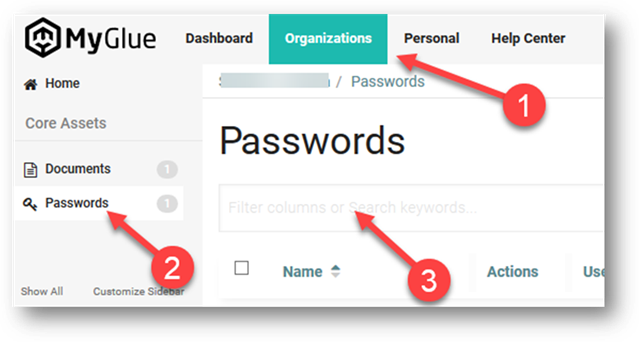
The search interface includes a search
bar at the top of your screen. MyGlue search works across all assets. Type in a
word or phrase to get started. As you type your search terms, the search
results show you the live results without needing to redirect to a results
page. Use the up/down arrows on your keyboard to navigate (& Enter), or
simply click on a password to open it.
Another
way to search from nearly anywhere in MyGlue is to press the letter
"Q" on your keyboard. A search field appears and you can quickly
search for what you're looking for.

Bonus:
With
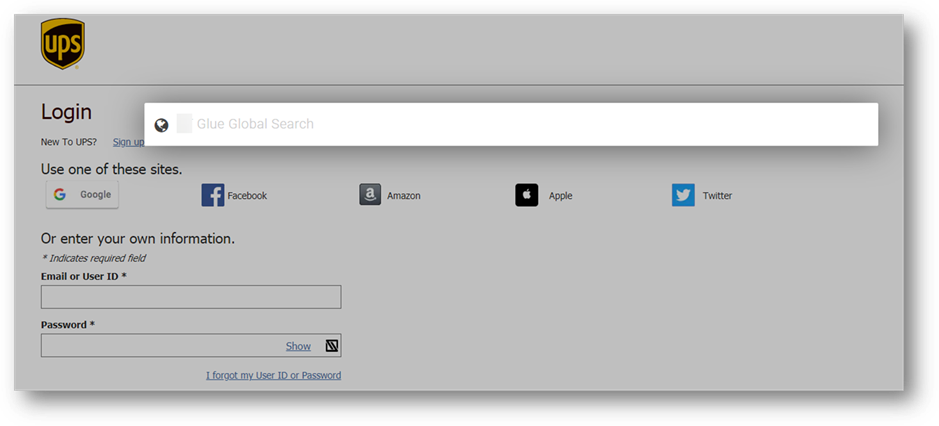
the MyGlue browser extension installed, you can also press the letter
"Q" on any web page to bring up MyGlue's search box. Here in
this example, we're doing that on UPS's login page:
Copyright (C) 2021 All rights
reserved, MainFrameIT, LLC