
Objective:
Authenticator
Lite is a Multi-Factor Authenticator (MFA)
App Right Inside of Outlook Mobile:



Table
of Contents:
o
What to
Expect - A Fantastic User Experience!
o
Setting it up When Prompted (Quick and
Easy)
o
Flipping
Between MFA Methods
o
Setting
it up Manually (In case you missed the prompt)
What to Expect - A Fantastic User Experience!
When
Authenticator Lite is enabled, instead of receiving text codes, Outlook
Mobile will prompt you enter the MFA number presented by any app or webpage
that requires MFA.
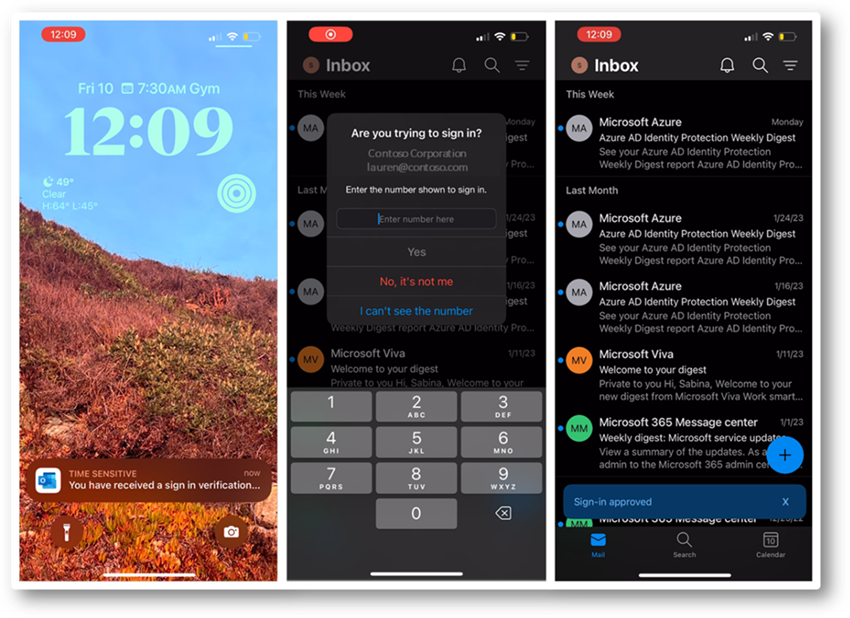
When
prompted by Outlook Mobile, simply tap the ‘I understand’ button – that’s it!
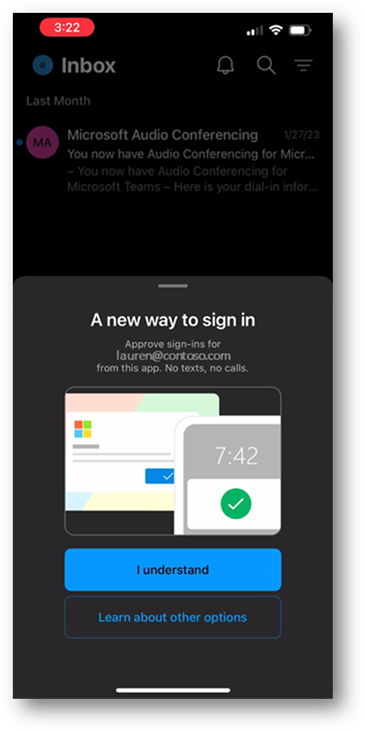
During
a login sequence it is sometimes either desirable and/or necessary to use a
different method for MFA. Microsoft has made it fairly easy to flip between
methods and here, we show you three ways to navigate the sign-in prompt.
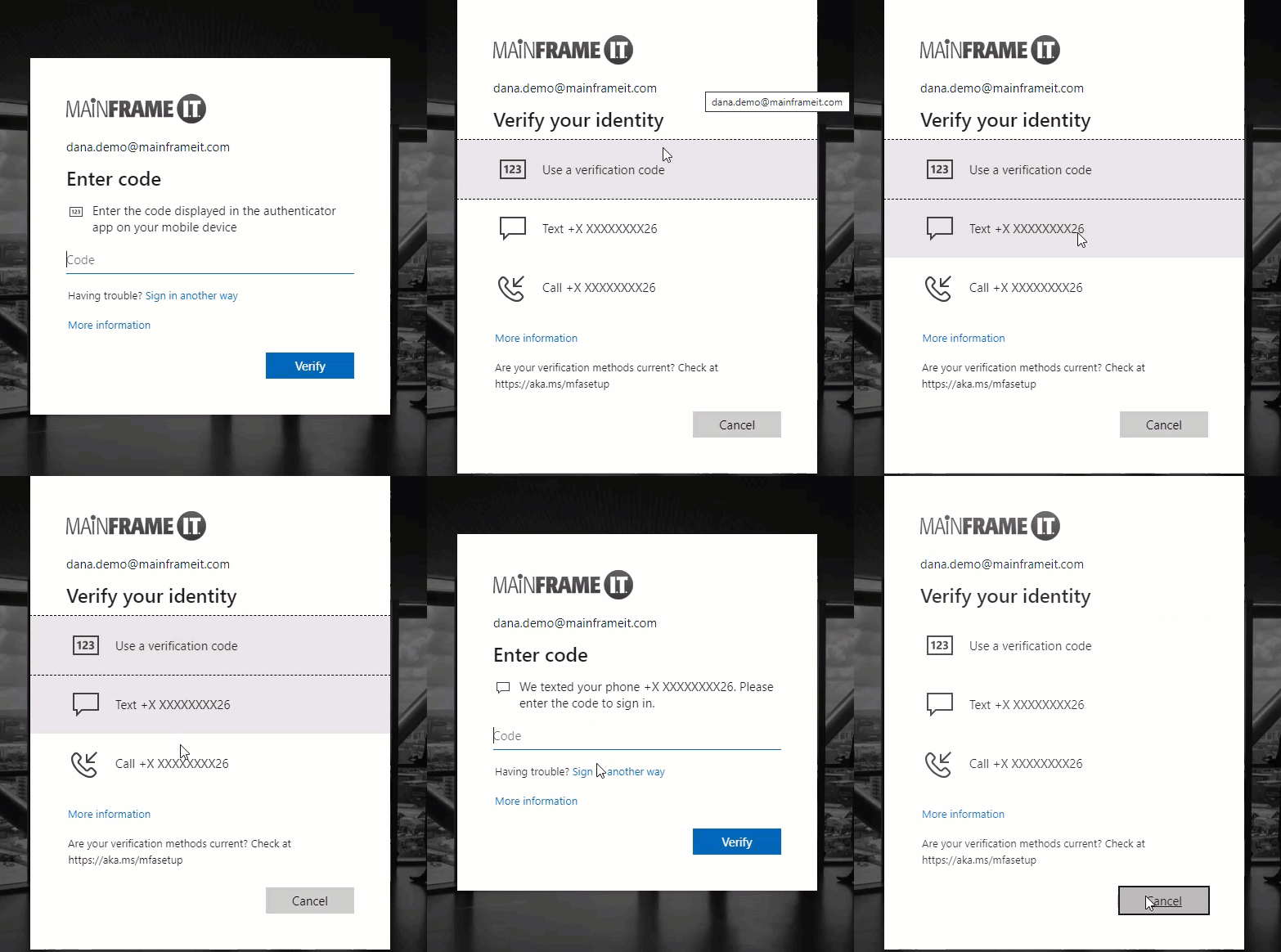
Setting up Authenticator Lite Manually:
Missed
the one-time setup prompt? Not a problem, simply follow the steps below to
enable it manually.
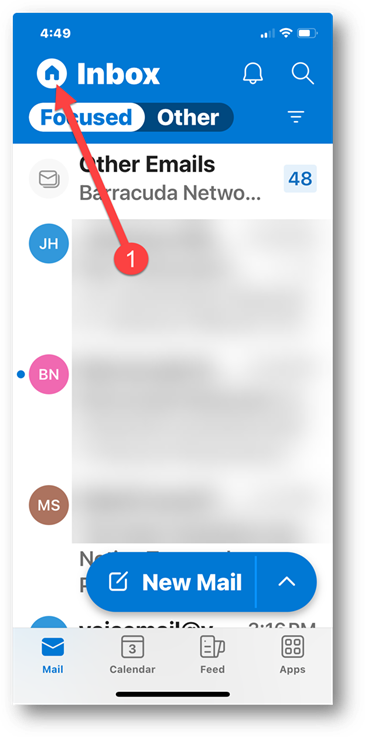
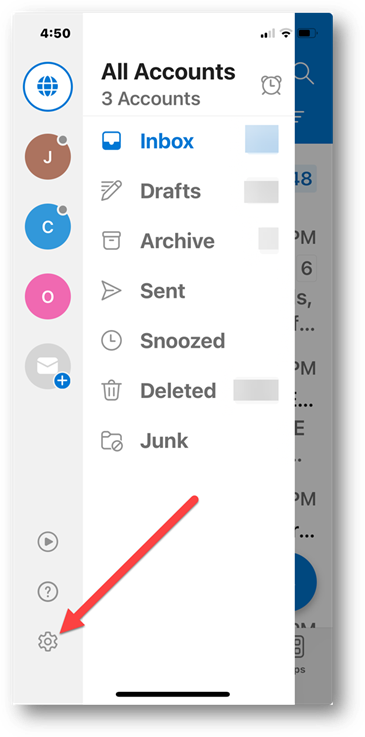
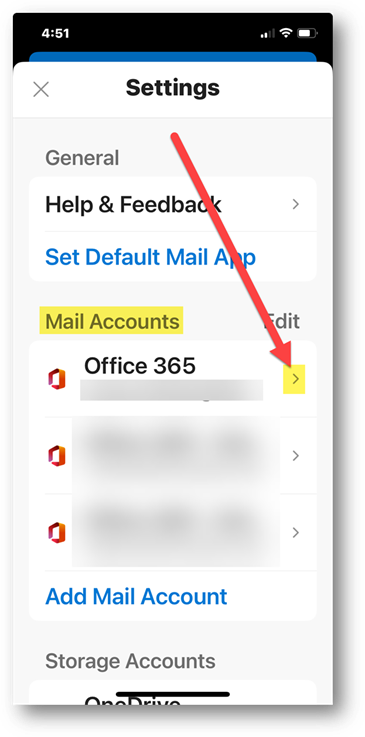
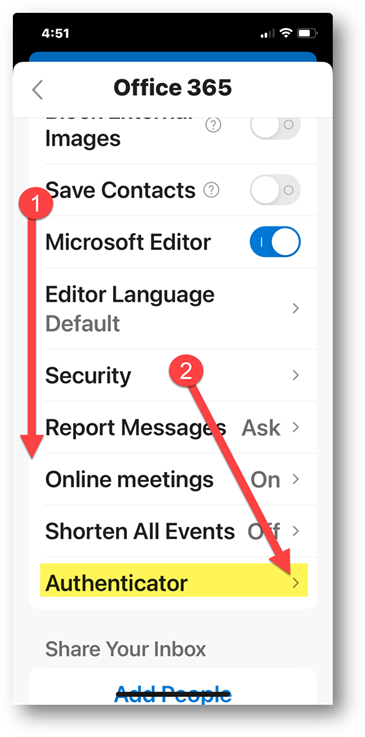
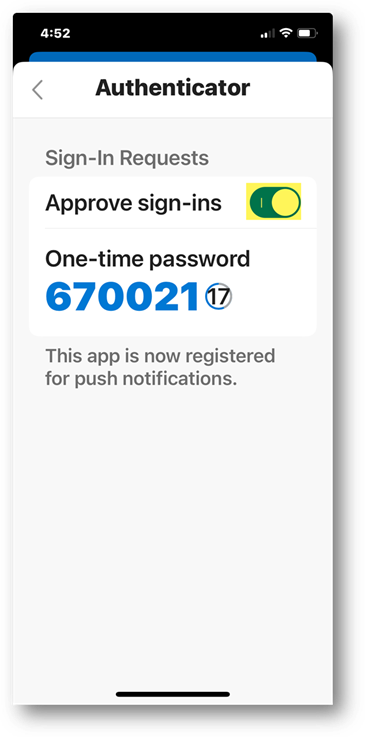
Done!
Copyright (C) 2024 All rights
reserved, MainFrameIT, LLC