
Objective:
Configure
your Microsoft 365 Security Info profile:
o
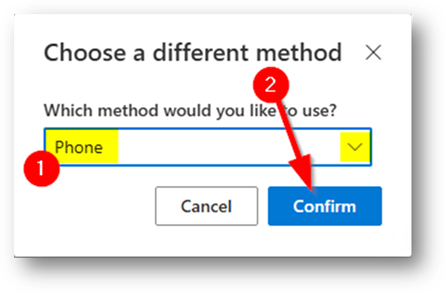
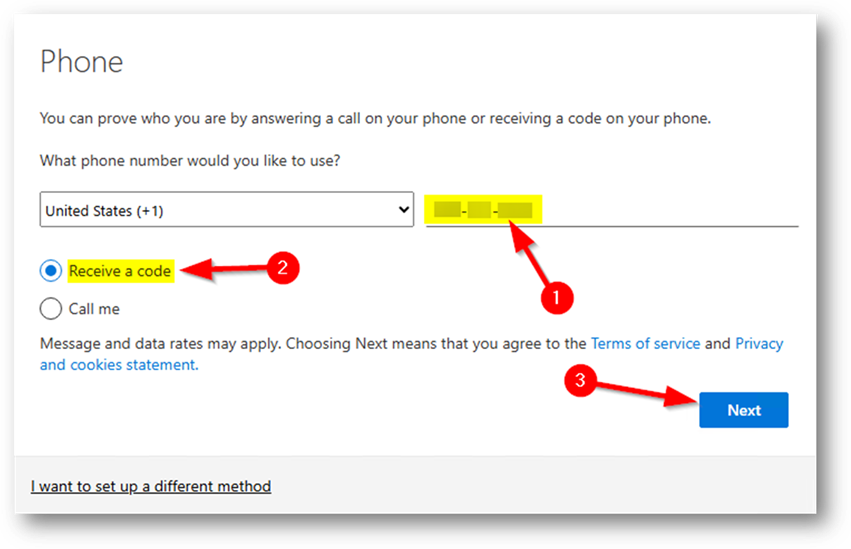
Define the Multi-Factor
Authentication (MFA) methods
you’ll use to sign into your account.
Pre-Requisites:
o
You'll need to know your Microsoft
365 username & password.
Note:
o
In some cases, this information may
have already been filled out, and you'll jump straight to the 'Success' stage
at the bottom.

Security
Profile Initial Login:
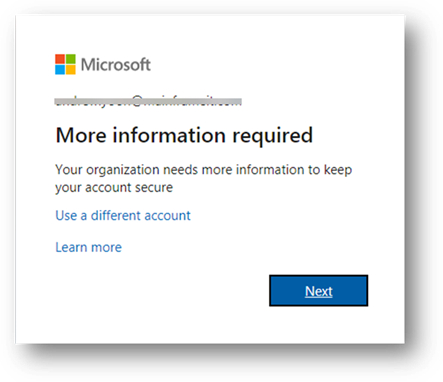
Login
here: https://aka.ms/mfasetup
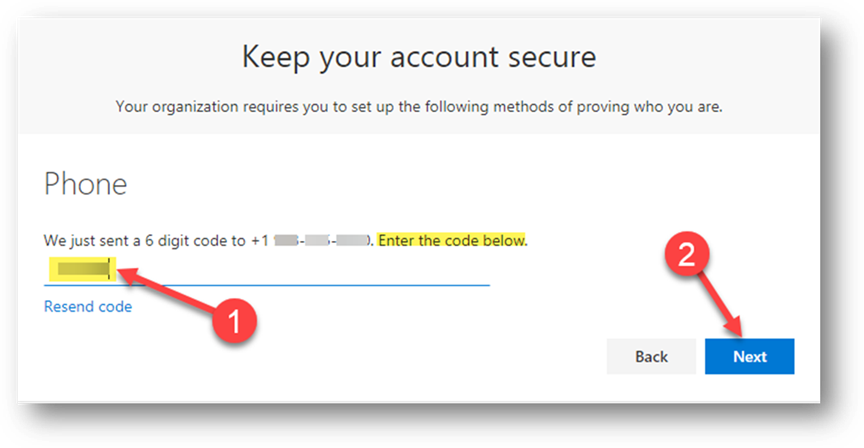
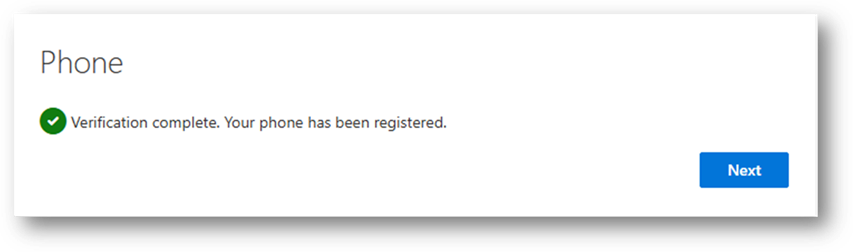
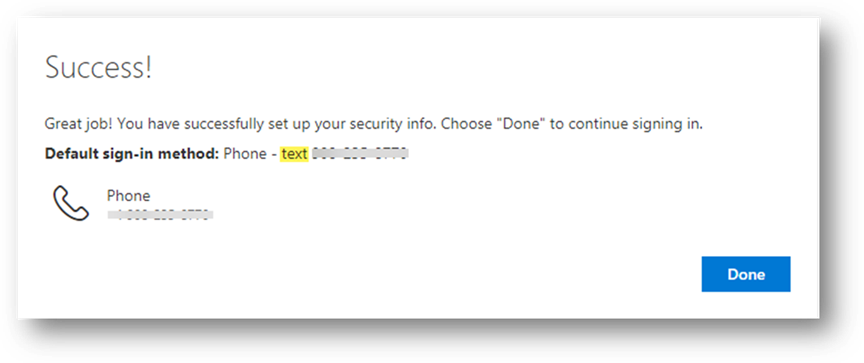
Success!
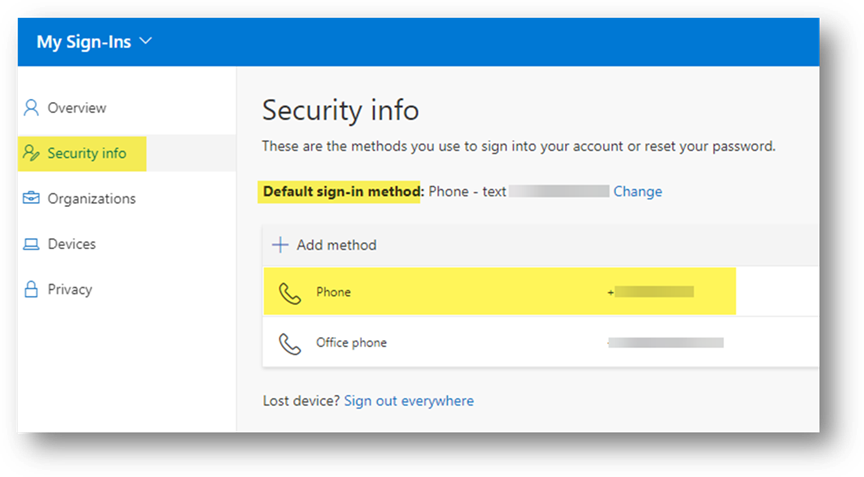
If you'd like to add an Office Phone or Alternate Phone to
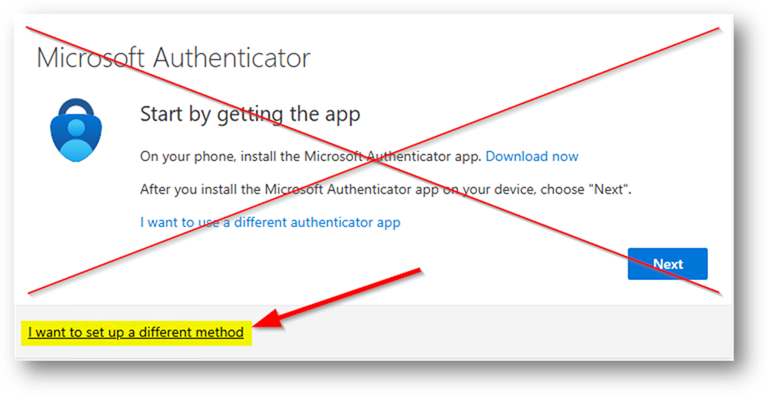
receive codes on, use '+ Add method' to do that. Do NOT,
however, register an Authenticator app as that’ll be handled later
automatically for you via Authenticator
Lite.
TIP: If at any point the workflow
forces you to install Authenticator, simply open a new browser tab and
go to https://aka.ms/mfasetup a second
time.
Copyright (C) 2024 All rights
reserved, MainFrameIT, LLC